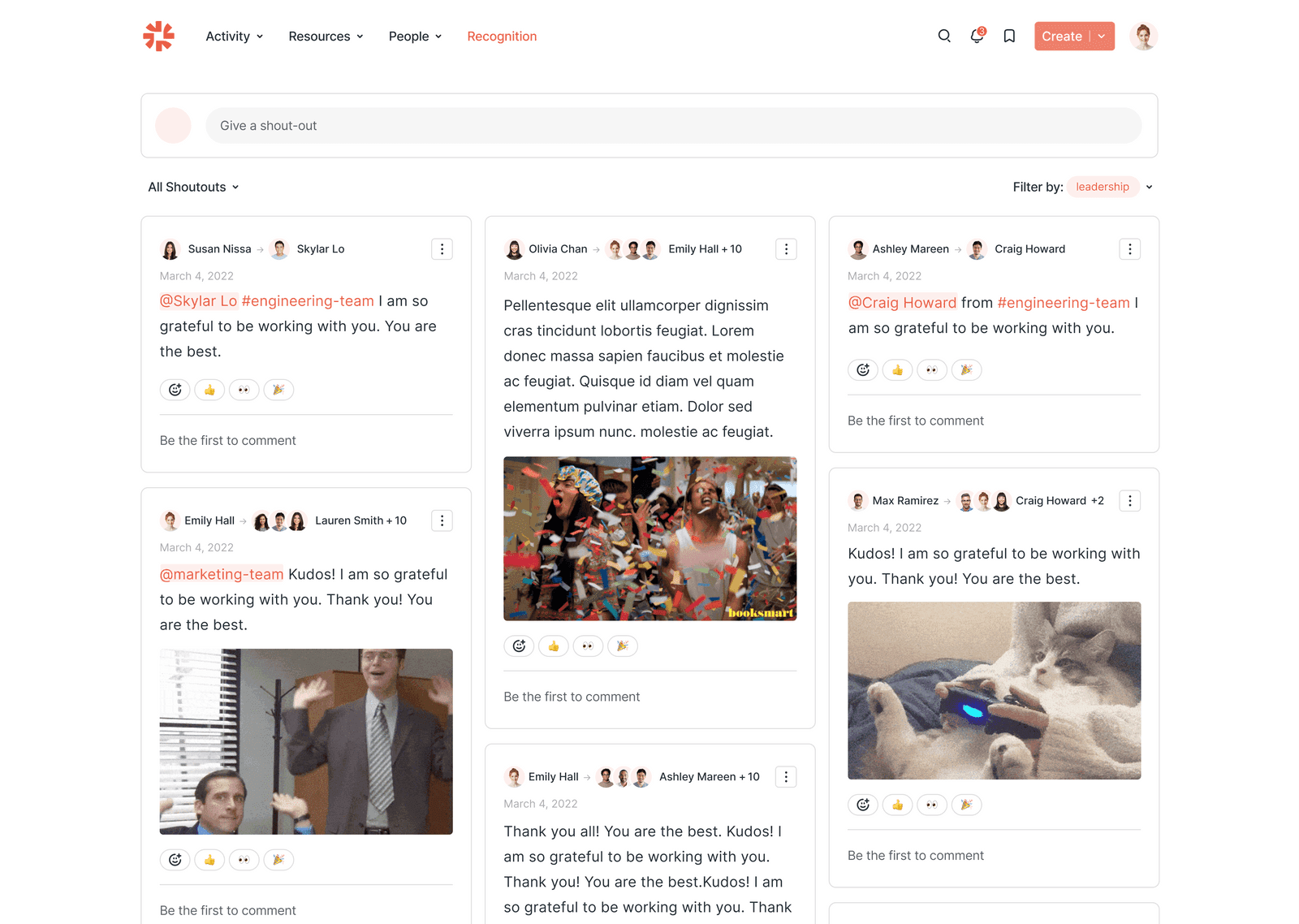
🏆 Small Cheers, Big Impact
A recognition product designed to boost team morale and visibility across the company
Overview
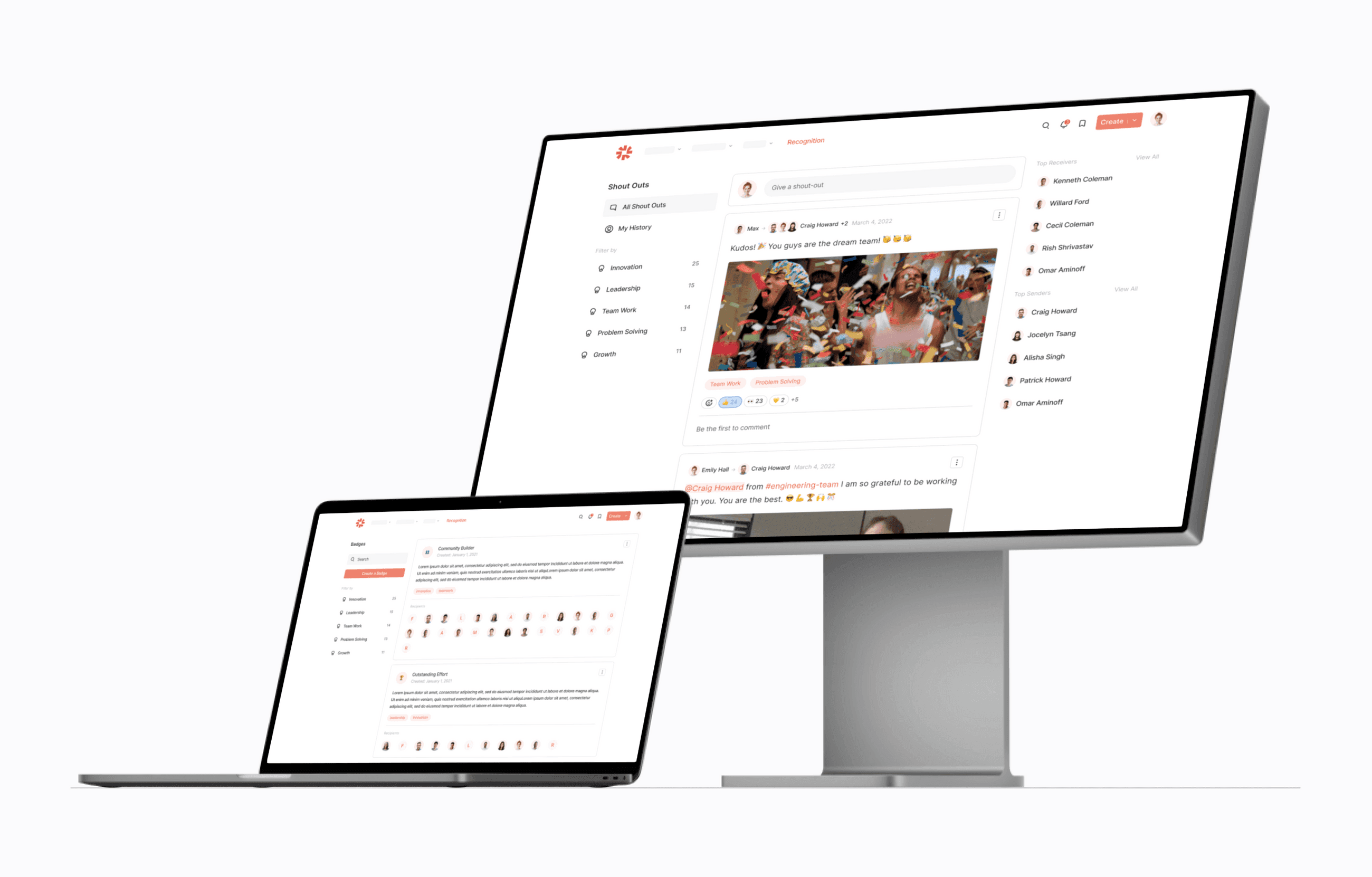
I led the design of a new recognition product to help hybrid teams celebrate wins and build belonging. We went from zero to MVP in six weeks, creating a flexible foundation for both standalone use and future integration across Haystack’s ecosystem.
role
Product Designer
timeline
Aug 2021 – Nov 2021
Challenge
This project started with a strategic push to evolve Haystack from a communication tool into a broader HR platform. Recognition was our first move, designed to fit natively within the intranet, but flexible enough to stand alone for teams seeking a lightweight, culture-forward product.
Clear market opportunity
Customers were already using third-party recognition tools, but Haystack’s access to rich company data positioned us to deliver a more integrated, meaningful, and scalable solution.
competitors
User story
As a direct report
I want to send a cheer to my manager
so that they understand my work style and know that I appreciate their leadership style
As a manager
I want to send a cheer to my direct report
so that they can feel seen and know that their performance is valued
As the company
I want our employees to be recognized for their professional accomplishments
so that we have a way to track our top performing employees
As an employee
I want to send a cheer to my peer
so that they know I appreciate their support
Information architecture
I translated our findings into a high-level user flow to anchor the product’s experience and guide key screens.
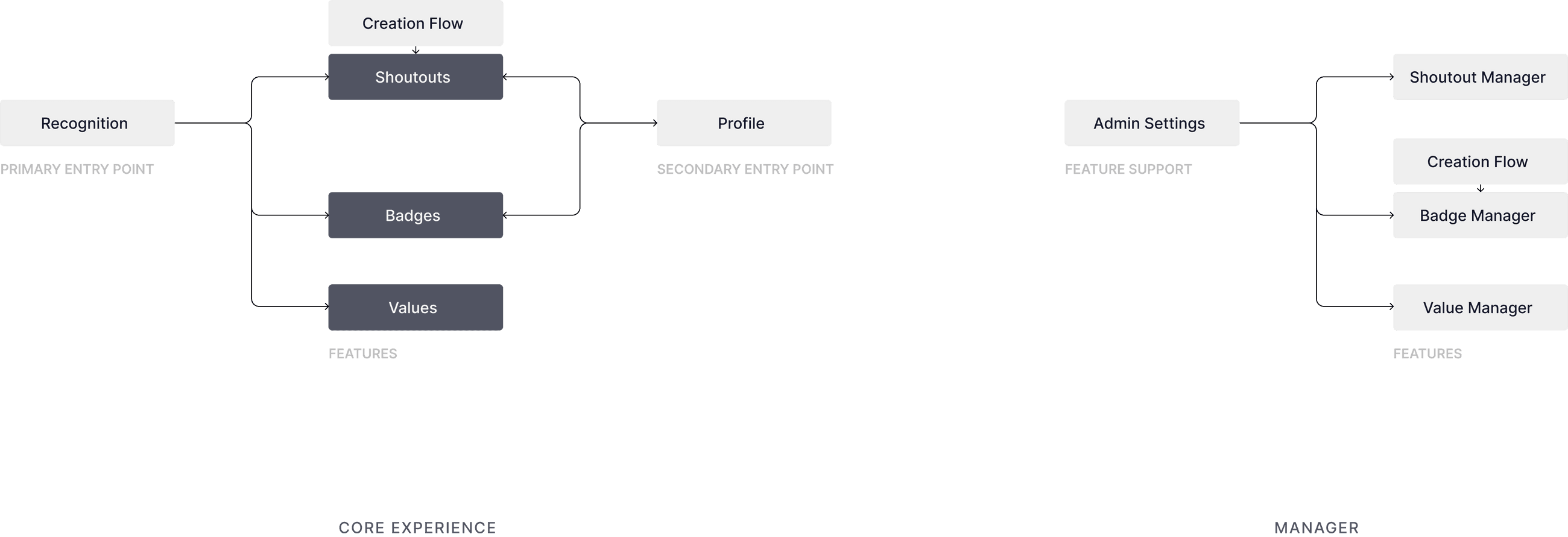
Basic Flow
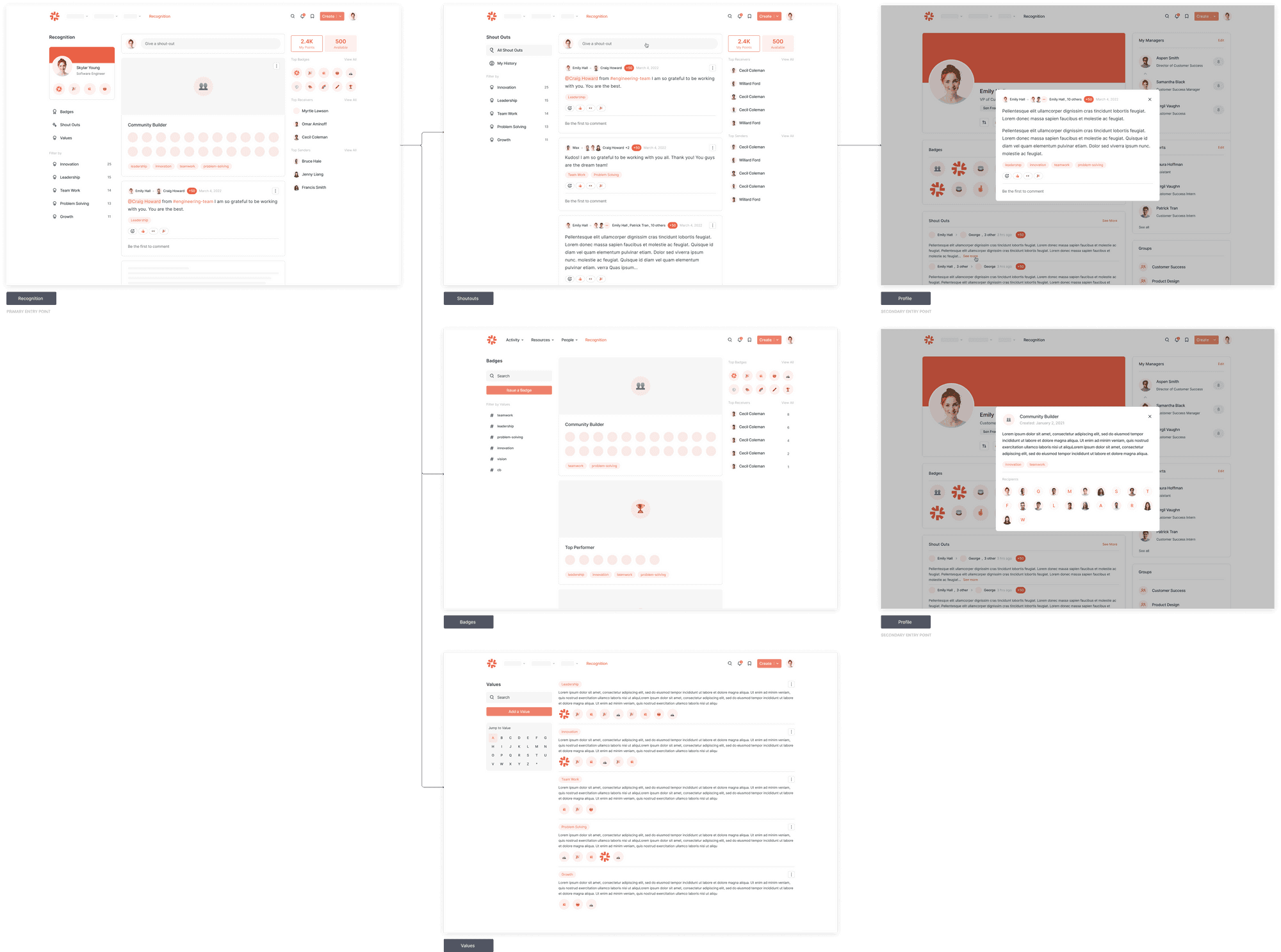
Core Experience
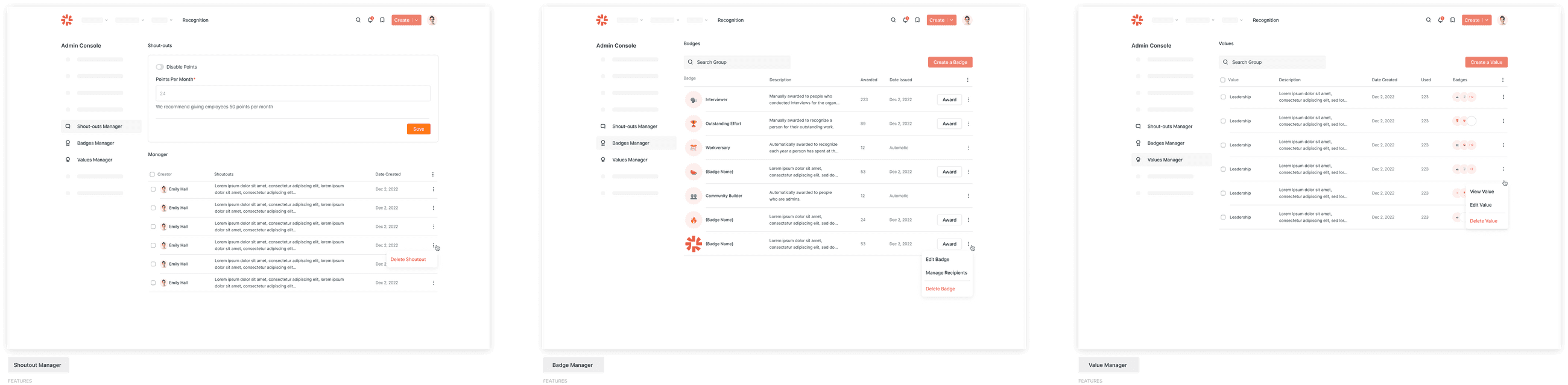
Recognition Settings
Design system
We ran user tests with existing customers to uncover pain points, understand how recognition might fit into their day-to-day, and observe reactions to early design concepts. I synthesized the insights into four key themes:
ℹ️ Give context
• Add dates
• Add a description section
• Add the full list of recipients
• Add values
🪄 Make it easy to use
• Make the editor lighter
• Add pre-made badge icons
• Add automated badges
🐖 Cut the fat
• Remove Recognition Feed
• Remove Shoutout Manager
• Remove Shoutout Points
• Remove Value Page
🎉 Excite the users
• Add Giphy integration
• Highlight profiles
• Emphasize visual excitement
Information architecture
User feedback on the core product screens helped me refine the information architecture: clarifying the flow, removing unnecessary friction, and surfacing what mattered most.
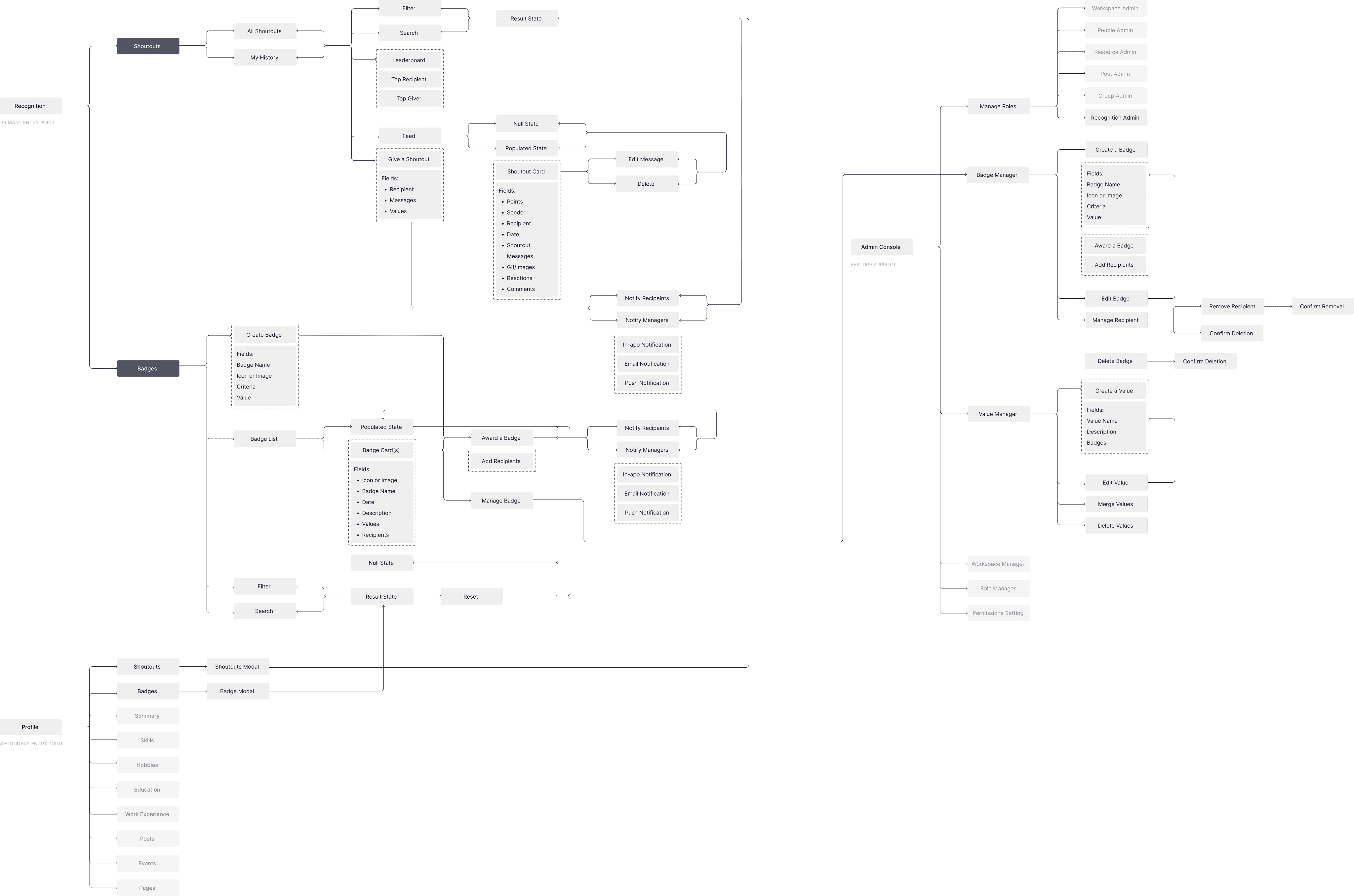
Adding and hiding card

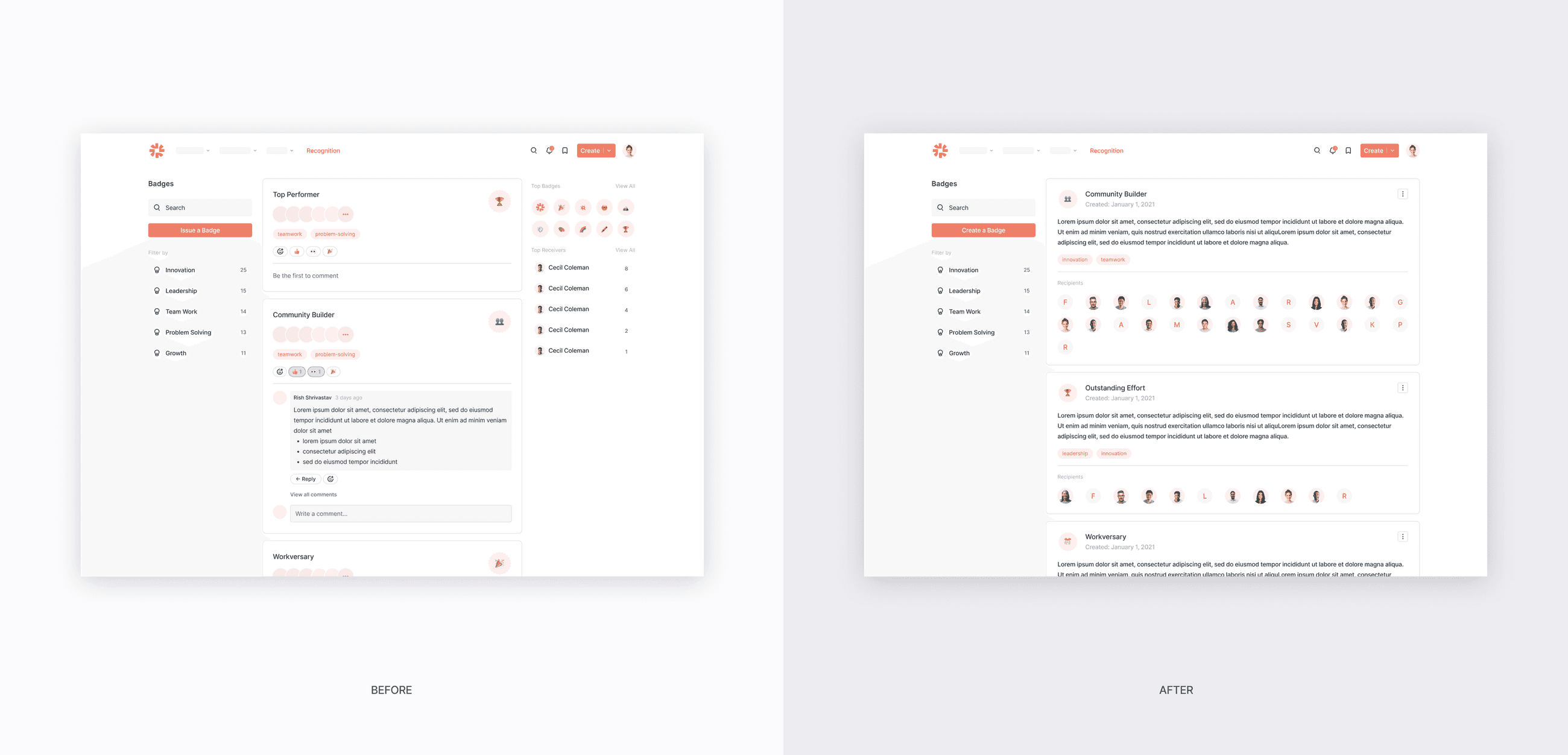
Primary Badge Experience

Profile Badge Experience
Badge design
In the final design, I enlarged individual avatars to spotlight award recipients and added context like award descriptions and creation dates for clarity. We also removed the leaderboard after hearing concerns that it could demotivate newer employees, shifting the focus toward meaningful recognition over gamification.
Shoutout design
We removed the point system from shoutouts in the final release. While points could drive initial engagement, they lacked real meaning without material rewards and customer feedback revealed inconsistent readiness to support them. Some teams had internal award systems, but many didn’t. To reduce complexity and maintain flexibility, we cut the feature.
Early on, I explored ways to guide users in writing shoutouts, but branding needs varied widely across companies. Instead, I simplified the creation flow, prioritizing clarity and flexibility. We kept rich text formatting and Giphy support, which consistently tested well as lightweight ways to personalize recognition.
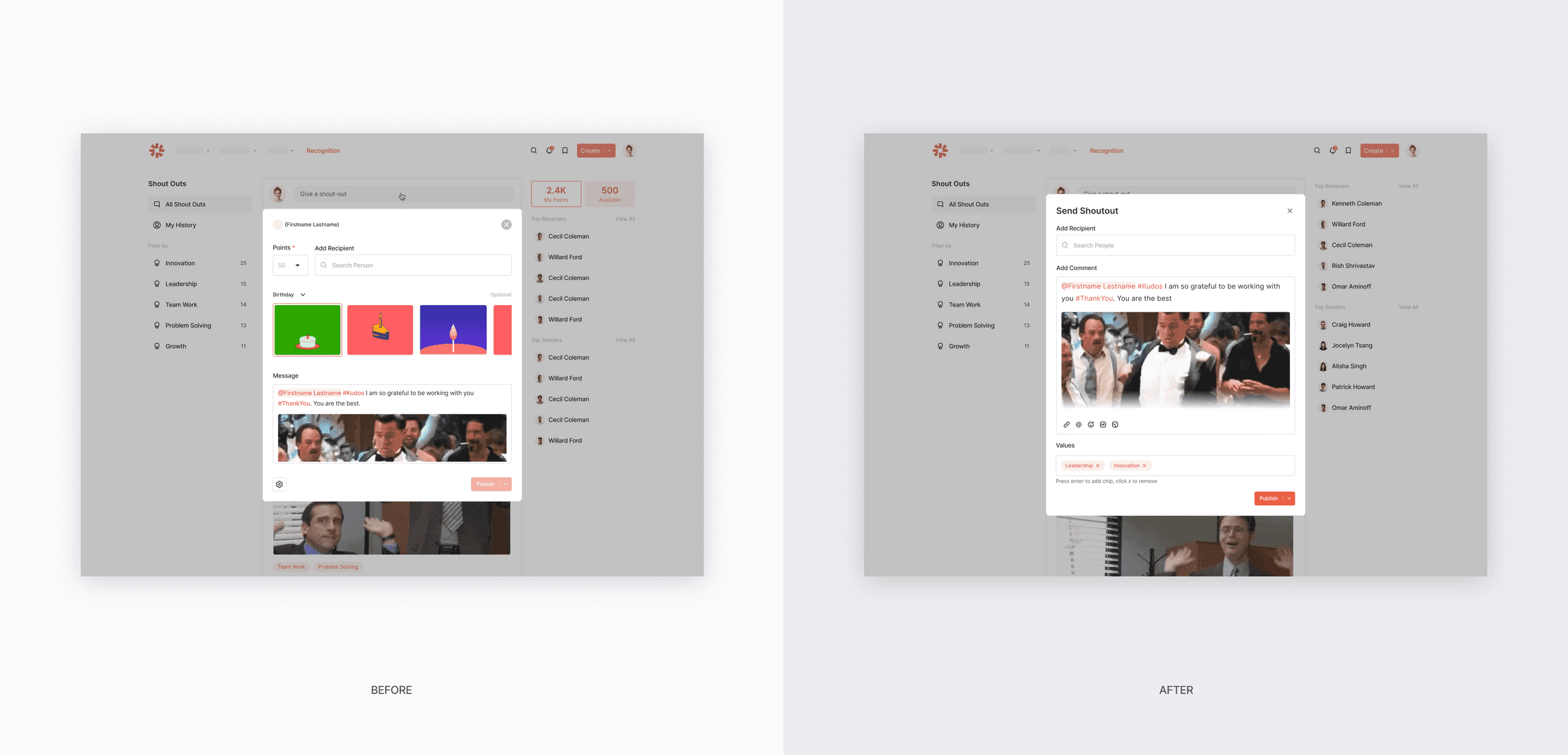
Shoutouts Editor
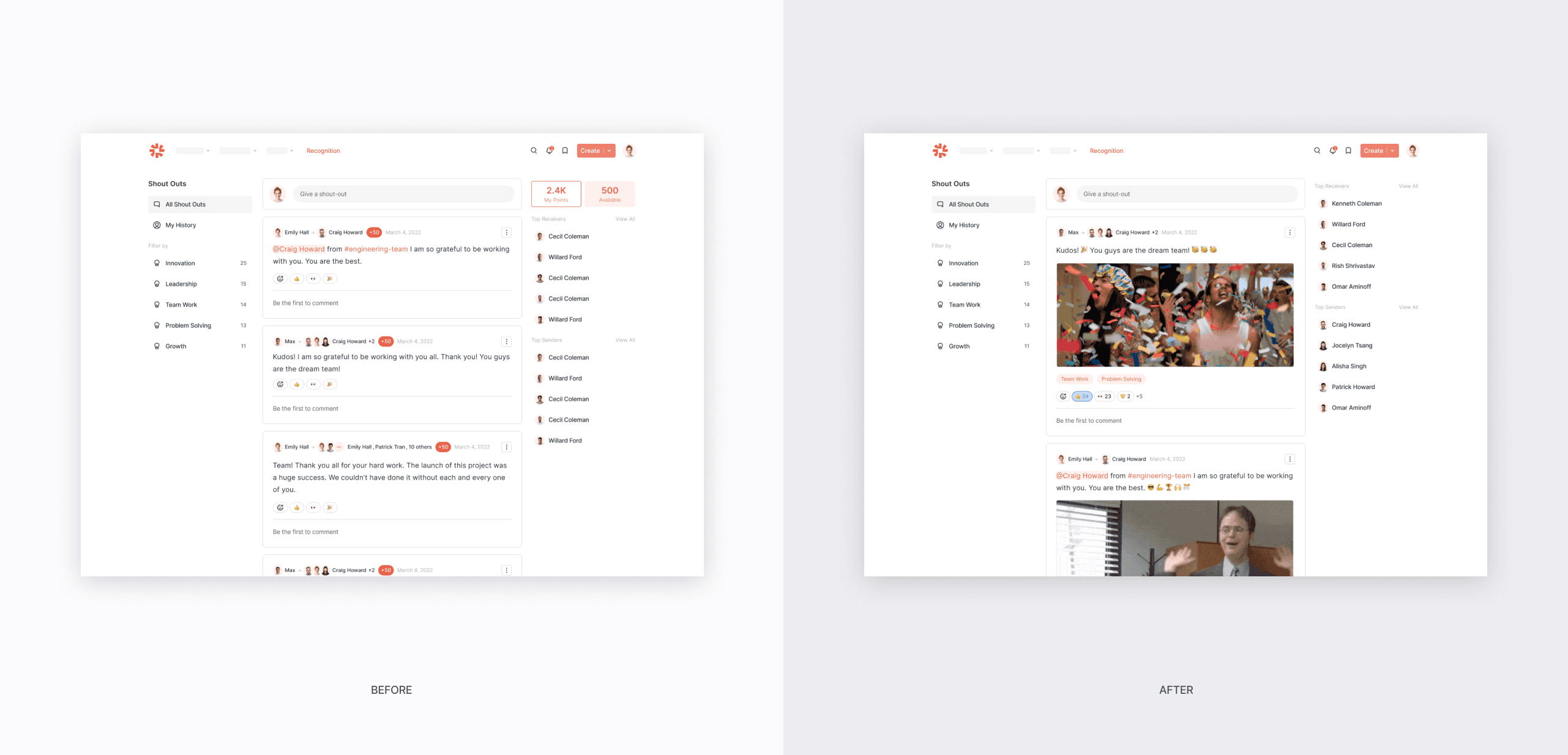
Shoutouts Home
Customer Voice
Customer response was immediate and enthusiastic. We rolled out to 4,000 users across two accounts, and what surprised our CS team most was how little onboarding was needed. Teams found the feature intuitive and valuable out of the box.
Customers quickly shared badge ideas tailored to their cultures ranging from top performer and onboarding to certification and project milestones. One team replaced informal Zoom shoutouts with formal recognition, while another, with a strong military presence, saw badges as a powerful way to highlight learning and expertise.
Lessons
While recognition was well received, we surfaced clear opportunities for future improvement:
Smarter notifications
• A point system tied to real rewards
• Deeper integration with birthdays, anniversaries, and new hires
• A Slackbot for real-time shoutout and badge announcements
👯 Double Badges
Existing
Users can't receive more than one badge twice in the existing feature
Problem
Employees may be awarded the same award twice, but they won't be able to receive it unless it is new. This is especially true for skill-based and expertise-based badges
Solution
Award badges multiple times, potentially clustering them with tiers so users can collect them
💀Slow Roll-outs
Existing
Roll-outs was a lot slower than expected
Problem
Teams needed to wait for resources, such as their internal branding team to create badge icons and strategize roll outs. A team needed their L&D team support because they had a bunch of existing programs.
Solution
We should add automated Haystack badges and add bottom up pressure by exposing the feature. If employees could get a glimpse of some badges, such as new hire, they might ask their admins to add more.
🤔 Who is awarding badges?
Existing
We created an admin type for recognitions that allow them to manage, create, award, and edit badges and shoutouts
Problem
Managers want to award badges to their direct reports, but they are not admins
Solution
Allow a sub-permission type for management to add badges, without having to manage all recognitions
Reflection
In hindsight, I saw an opportunity to improve the main shoutouts page layout. Our original three-column design aimed for balance, but didn’t fully capture the celebratory energy we were going for. A wider, more dynamic layout could make recognition feel more vibrant by surfacing more shoutouts at once. Because shoutouts are typically short, we could also scale down Giphys to let the messages shine and make space feel more alive.